

Affiliate Disclosure: Some links in this post are affiliate links. If you buy through them, Embark Sounds earns a small commission — at no extra cost to you.
The first question every new producer asks isn't about gear or plugins — it's about software. Specifically: what is the best free DAW for beginners who don't want to spend money before they even know if they like making music?
I've been producing R&B on a Mac long enough to remember when GarageBand was the only real answer to that question. The landscape has changed. There are now four free digital audio workstations worth recommending to beginners, and the best one for you depends on one thing: what device you're starting on.
- BandLab is the best free DAW overall — browser-based, no install, works on any device, free forever.
- GarageBand is the best starting point for Mac and iPhone users — polished, pre-installed, and the cleanest path to Logic Pro.
- Waveform Free is the strongest option for producers who want a traditional desktop DAW that runs on Mac, Windows, and Linux.
- Cakewalk Sonar is the most fully featured free DAW for Windows — professional-grade tools at zero cost.
- All four support MIDI programming, VST plugins, and audio recording — everything you need to start making R&B beats today.
Top Pick for Beginners
BandLab
Runs in the browser and on mobile, free forever, no install needed. The fastest way to go from zero to your first beat without spending anything.
Try BandLab Free →No affiliate link — just the best starting point we know.
What Is a DAW?
A DAW — short for digital audio workstation — is the software at the center of modern music production. Recording vocals, programming drum patterns, arranging samples, mixing tracks, and exporting your final song all happen inside the DAW. It's the equivalent of a recording studio compressed into an application.
For beginners, the choice of DAW matters more than almost any other decision because it shapes how you learn. A complicated interface slows everything down. A simple one gets you making music in the first session, which is where real learning actually happens.

Which Free DAWs Are Worth Using as a Beginner?
| DAW | Platform | Best for | Upgrade path |
|---|---|---|---|
| BandLab Best Overall | Browser, iOS, Android, Windows | Absolute beginners, mobile producers | None needed — stays free |
| GarageBand Best for Mac | Mac, iPhone, iPad | Mac/iOS beginners, songwriters | Logic Pro (projects transfer directly) |
| Waveform Free Best Cross-Platform | Mac, Windows, Linux | Desktop beginners, beat-makers | Waveform Pro |
| Cakewalk Sonar Best for Windows | Windows only | Windows producers, power users | None — fully featured as free |
BandLab — Best Free DAW for Absolute Beginners
BandLab
- Works in any browser — no download, no setup, no credit card
- Built-in drum machine, loop library, and sampler
- Multi-track recording, MIDI editing, and mixing in one interface
- Projects save to the cloud automatically
- Mobile apps for iOS and Android — continue your session anywhere
BandLab is the best answer to "where do I start?" for one reason: the barrier to entry is zero. You open a browser, create a free account, and you're inside a multi-track DAW within two minutes. No compatibility issues, no installation, no waiting. According to Bedroom Producers Blog's roundup of free DAWs (bedroomproducersblog.com, retrieved 2026-08), BandLab consistently ranks as the easiest starting point for producers who want to make music immediately.
For R&B producers, BandLab's built-in drum machine and loop library mean you can start programming beats in your first session without importing anything. The interface is deliberately simple — fewer options means faster learning. Once you understand the core concepts of arranging tracks, layering sounds, and mixing levels, those skills transfer directly to any other DAW you move to later.
BandLab's plugin support is more limited than desktop DAWs. If you plan to use professional VST plugins — third-party synths, effects chains, studio-quality processors — you'll eventually want to move to a desktop DAW. BandLab is an exceptional starting point, not necessarily a forever home for serious producers.
GarageBand — Best Free DAW for Mac and iPhone Users
GarageBand
- Pre-installed on every Mac — you already own it
- Massive built-in sound library: drums, keys, synths, guitars, strings
- Drag-and-drop loops let beginners build arrangements immediately
- Full MIDI editor, audio recording, and basic mixing
- Projects open directly in Logic Pro when you're ready to upgrade
If you're on a Mac, the best free DAW for beginners isn't a download — it's already on your computer. GarageBand comes pre-installed on every Mac and iPhone, and it's genuinely one of the best beginner interfaces in any software category, not just music production. According to MusicRadar's roundup of the best free DAWs (musicradar.com, retrieved 2026-08), GarageBand is consistently recommended as the most polished and beginner-friendly option for Apple users.
What makes GarageBand particularly good for R&B production is the built-in sound library. You get drum kits, keyboards, Rhodes-style electric pianos, synths, and royalty-free loops — enough to start building full arrangements in your first session without buying a single plugin. The workflow is clean: drag a loop into the timeline, layer a MIDI keyboard part, record a vocal line, and you have the skeleton of a track.
What makes GarageBand genuinely approachable — and I say this as someone who has used it for years as a Mac user — is that the interface never fights you. It's simple in the right way: everything is where you expect it to be, and the sound library means you're not staring at an empty session wondering where to begin. It's a one-stop shop that comes with the Mac. You buy a computer, you have a DAW and a sound library waiting for you. That's a different situation from any other platform.
The strongest argument for starting with GarageBand isn't just the interface — it's the upgrade path. When you're ready for more professional tools, your GarageBand projects open directly in Logic Pro without any conversion. The layout, keyboard shortcuts, and workflow concepts are nearly identical. Starting in GarageBand means you're already learning Logic Pro at the same time.
GarageBand is exclusive to Mac, iPhone, and iPad. If you're on Windows or Android, BandLab or Waveform Free is a better starting point. GarageBand projects are also not transferable to non-Apple DAWs — if you ever switch to a Windows machine, you start from scratch.
Practice Drum Patterns
Before You Open a DAW
The Embark Sounds Drum Pattern Generator is a free in-browser step sequencer — no account, no install. Build kick, snare, and hi-hat patterns, hear them loop in real time, then bring them into any DAW above.
Try the Free Drum GeneratorFree. No sign-up. Works in any browser.
Waveform Free — Best Free Cross-Platform DAW
Waveform Free
- Full desktop DAW with unlimited track counts
- VST, VST3, and AU plugin support on all platforms
- Solid MIDI editor and pattern-based beat programming
- No track, time, or export limits in the free version
- Available on Linux — the only major beginner-friendly option for that platform
Waveform Free, made by UK developer Tracktion, is the strongest option for producers who want a traditional desktop DAW without platform restrictions. It runs natively on Mac, Windows, and Linux — no other free DAW in this guide covers all three. According to MusicRadar's free DAW roundup (musicradar.com, retrieved 2026-08), Waveform Free is frequently recommended for beginners who want to step directly into a professional DAW workflow without paying for it.
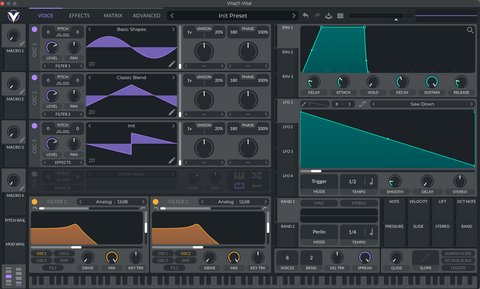
What separates Waveform Free from BandLab is plugin support. Waveform loads VST and VST3 plugins, which means every free synth, sampler, and effect in the massive community of free VST instruments works with it out of the box. For R&B producers, this matters: free tools like the Vital synth, the LABS instruments from Spitfire Audio, and dozens of free drum samplers all load directly into Waveform Free, building a professional-quality production setup at zero cost.
Cakewalk Sonar — Best Free DAW for Windows
Cakewalk Sonar
- Full professional DAW — unlimited tracks, no feature locks
- VST and VST3 plugin support
- Advanced MIDI editing and piano roll
- ProChannel mixing strip with professional-grade EQ and compression
- Backed by BandLab (same company), active development as of 2026
Cakewalk Sonar is an anomaly: a fully professional DAW available at no cost, specifically for Windows. The original Cakewalk was a paid DAW for decades before being acquired by BandLab Technologies and made free in 2023. According to Bedroom Producers Blog's free DAW guide (bedroomproducersblog.com, retrieved 2026-08), Cakewalk Sonar is the most fully featured free option available to Windows producers — comparable in depth to paid DAWs that cost hundreds of dollars.
For beginners, the caveat is complexity. Cakewalk Sonar is more powerful than BandLab or even GarageBand, but it's also more demanding to learn. The interface reflects its professional heritage: lots of options, multiple views, and a workflow that rewards patience. If you're comfortable learning software methodically, the payoff is a DAW you might never need to upgrade. If you want to make music in the first five minutes, start with BandLab and graduate to Cakewalk when you're ready.
What About LMMS and Reaper?
Two other names come up constantly in free DAW searches worth knowing: LMMS (Linux MultiMedia Studio) and Reaper.
LMMS is completely open source and runs on Mac, Windows, and Linux. It's built around a beat-and-bassline editor that makes it particularly natural for hip-hop and R&B producers who think in loops rather than linear arrangements. The interface is dated compared to Waveform Free, but it's genuinely free with no feature locks and has a solid plugin ecosystem. If you're a Linux user looking for a beat-focused workflow, LMMS is worth exploring alongside Waveform Free.
Reaper is not technically free — it has a $60 non-commercial license — but its evaluation period has no hard expiration, which is why it appears on many "free DAW" lists. It's one of the most powerful and customizable DAWs available at any price point. If your budget eventually allows for one purchase, Reaper is worth serious consideration. For true beginners who want $0 options, the four DAWs above are the cleaner starting points.
How Do You Choose Your First Free DAW?
The single most important factor is your device, not your goals. Platform determines which DAWs are actually available to you, and starting with the wrong one wastes time you'd spend actually making music.
- You're on a Mac: Open GarageBand. It's already there. Start making music today and upgrade to Logic Pro when you feel the ceiling.
- You're on Windows: Start with BandLab in your browser to learn the basics, then move to Cakewalk Sonar when you want a more traditional DAW workflow.
- You're on Linux: Waveform Free is the best starting point. LMMS is a solid alternative that's been built specifically for Linux music production.
- You're on iPhone or iPad: GarageBand Mobile is the obvious choice — it's the most capable mobile production app available for free, and your projects sync directly to Mac GarageBand.
- You want the least friction possible, on any device: BandLab. Browser, no install, free forever.
The most important thing beginners get wrong is spending time choosing the perfect DAW instead of opening one and making something. The best free DAW for beginners is the one you actually use. Start with whatever requires the least setup, make your first beat, and then decide if you need something different.

Frequently Asked Questions
What is the best free DAW for beginners?
BandLab is the best free DAW for absolute beginners — no install, works in any browser, and gets you making music in under two minutes. For Mac users, GarageBand is the better long-term starting point because it's polished, pre-installed, and transfers directly to Logic Pro when you're ready to upgrade.
Is GarageBand good enough to make professional music?
Yes. GarageBand is a fully capable DAW that professional artists have used on real releases. Its core tools — recording, MIDI, arrangement, mixing, export — are production-ready. When you outgrow it, Logic Pro opens your GarageBand projects directly without starting over, making the transition seamless.
What is the best free DAW for Windows?
Cakewalk Sonar is the most fully featured free DAW for Windows — a professional-grade tool available at no cost. For beginners who want a gentler starting point, BandLab runs in any Windows browser and removes all setup friction. Start with BandLab, graduate to Cakewalk when you're ready for a traditional DAW workflow.
What is a DAW?
A DAW (digital audio workstation) is the software where you record, arrange, edit, and mix music. Everything from programming drum patterns to recording vocals to applying effects and bouncing a final mix happens inside the DAW. It's the central tool of modern music production, and choosing the right one is the first real decision a new producer makes.
Can I make R&B beats on a free DAW?
Yes — all four DAWs in this guide support MIDI programming, drum patterns, sample import, and VST plugins. BandLab and GarageBand include built-in drum machines and loop libraries. Pair any of them with free VST plugins and you have a complete R&B production setup at zero cost. The free Drum Pattern Generator on this site works in any browser and is a good way to practice patterns before opening your DAW.
The Bottom Line
The best free DAW for beginners isn't one answer — it's one answer per platform. On Mac, open GarageBand right now. On Windows, start in BandLab and move to Cakewalk Sonar when you want more depth. Anywhere else, BandLab in a browser is the universal starting point.
What matters most isn't which DAW you choose — it's that you open it and make something. The concepts you learn in any of these four tools transfer directly: tracks, MIDI, arrangements, levels, effects. Learn them once and every other DAW you ever use becomes easier.
Mark Claiborne is the founder of Embark Sounds and a longtime R&B producer working on Mac. He reviews production hardware and software from direct experience — every opinion on this site is based on real sessions, not spec sheets. More about Embark Sounds.
Bedroom Producers Blog, "Best Free DAWs," retrieved 2026-08-03, bedroomproducersblog.com/free-vst-plugins/daw/
MusicRadar, "Best free DAWs for music production," retrieved 2026-08-03, musicradar.com/news/best-free-daws-music-production-software
LMMS project documentation, retrieved 2026-08-03, lmms.io
![[UPDATED] Waves Atlas Reverb Review: Cinematic Depth Without the Engineering Headache](http://embarksounds.com/cdn/shop/articles/atlas-reverb-screenshot.png?v=1785594169&width=480)
![[UPDATED] Addictive Keys Mark One Review: The Best Electric Piano VST for Lo-Fi Producers?](http://embarksounds.com/cdn/shop/articles/ak-mark-one-main-screen.png?v=1784812539&width=480)